OpenSearch RAG Pipeline
I led UX design for the end-to-end RAG pipeline builder in OCI OpenSearch, turning what was previously a manual, code-driven setup into a guided, validated console experience. The flow now helps users configure embeddings, connect to OCI AI services, and generate production-ready pipeline code without guesswork.
My role
Lead designer
Cross functional team
UI Engineers, API Engineers, Product Managers, Technical Content Writer
Project timeline
5 weeks (design phase)
Problem statement
Although OCI already supported the building blocks required for RAG with OpenSearch as a vector database and Generative AI as the model backend, there was no unified experience in the console to help customers actually create a working pipeline. Users had to manually configure credentials, embeddings, context fields, and inference parameters through code or APIs, without any visual guidance or validation along the way.
Outcomes
Shipped
The first guided, console-based RAG pipeline builder in OCI OpenSearch.
Access
Building a pipeline no longer requires the CLI or writing code.
Validation
Safe defaults and inline checks catch misconfiguration during setup rather than after.
The process
- Expert interview
- Project planning
- High fidelity mocks
- Clickable prototypes
- Review and iteration with stakeholders
- UX review board approval
- Developer support
- Iteration
Solution - three step guided flow
To make RAG creation approachable inside the console, I designed a guided pipeline builder that breaks the setup into a three-part configuration model:
Pipeline Setup → Gen AI Configuration → Code Generation
This model mirrors the technical dependencies of a RAG pipeline, but presents them in a progressive, user-friendly order, removing the cognitive overload of entering all parameters at once and reducing failures.
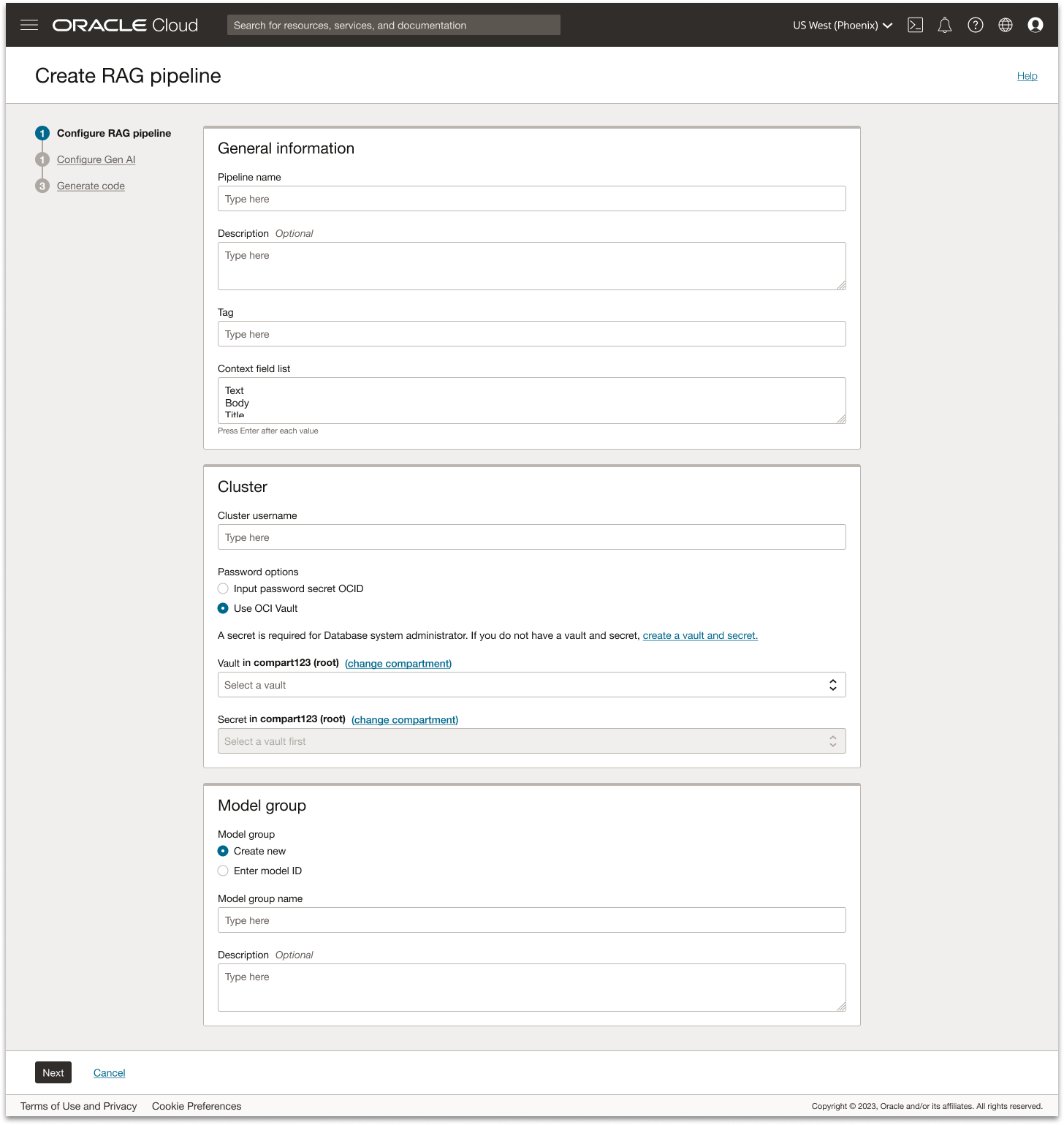
Step 1: Configure RAG pipeline
Clear guidance through structured grouping
To help users form a mental model of the pipeline setup, I organized the flow into intuitive sections such as General Information, Cluster, and Model. This grouping makes the configuration process feel approachable rather than technical, giving users a clear sense of where they are and what they’re defining at each stage. Inline hint text also clarify unfamiliar concepts like context fields lists without requiring users to leave the flow.
No dead ends
Instead of blocking users when a required dependency is missing, the UI provides a direct path forward. If the user hasn’t yet created a vault and key, for example, a contextual link routes them to the Vault service so they can complete that step and seamlessly return. This prevents dead ends in the journey and reduces abandonment during setup.
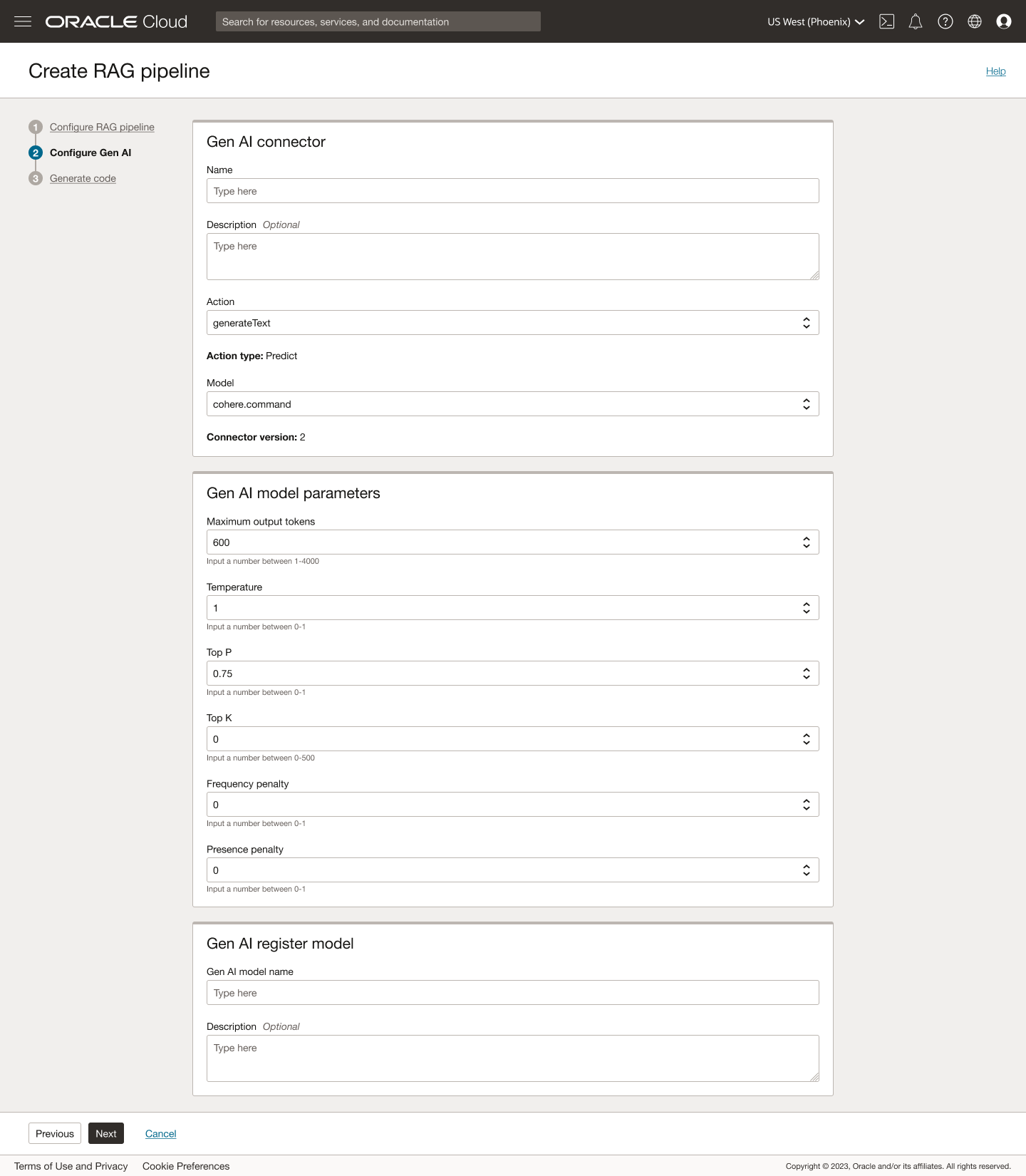
Step 2: Configure Gen AI
Safe defaults for rapid success
Common model settings (temperature, top-p, token limits, etc.) come pre-populated with recommended defaults, so first-time users can successfully create a working pipeline without deep knowledge of generative tuning. Advanced users can still override these fields as needed.
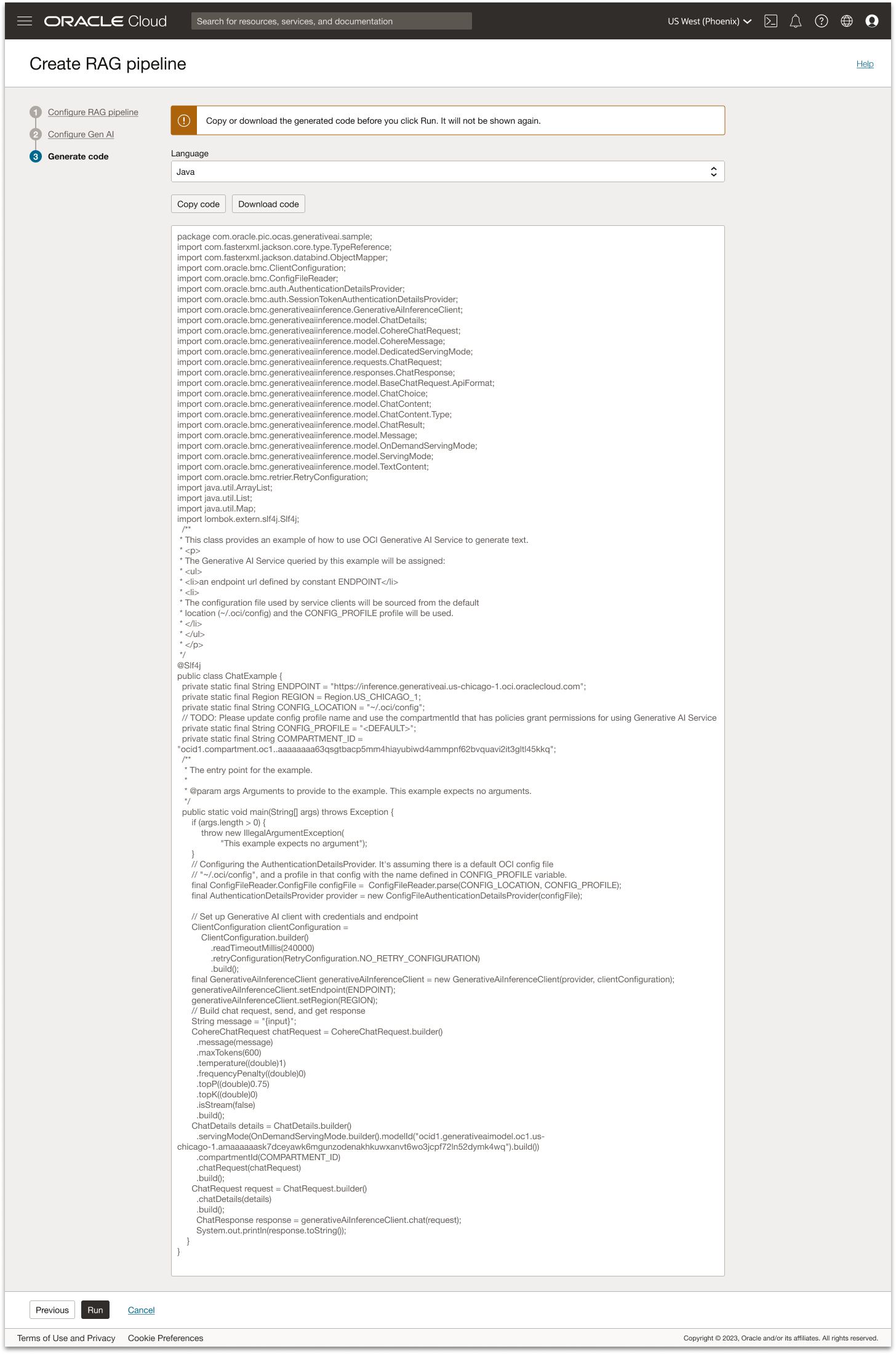
Step 3: Generate code
Automatic code generation
Once the user completes setup, the console provides ready-to-run code samples in multiple languages that reflect their exact configuration. The user can run it here, which creates the RAG pipeline in their OpenSearch Dashboard.
End-of-flow prompt
At the end of the pipeline creation flow, a lightweight banner prompts users to copy or download the generated code so they can reuse the configuration later outside the console. This helps advanced users operationalize the setup as infrastructure-as-code, and ensures they don’t lose work if they want to replicate the pipeline in another region, tenancy, or scripted deployment.
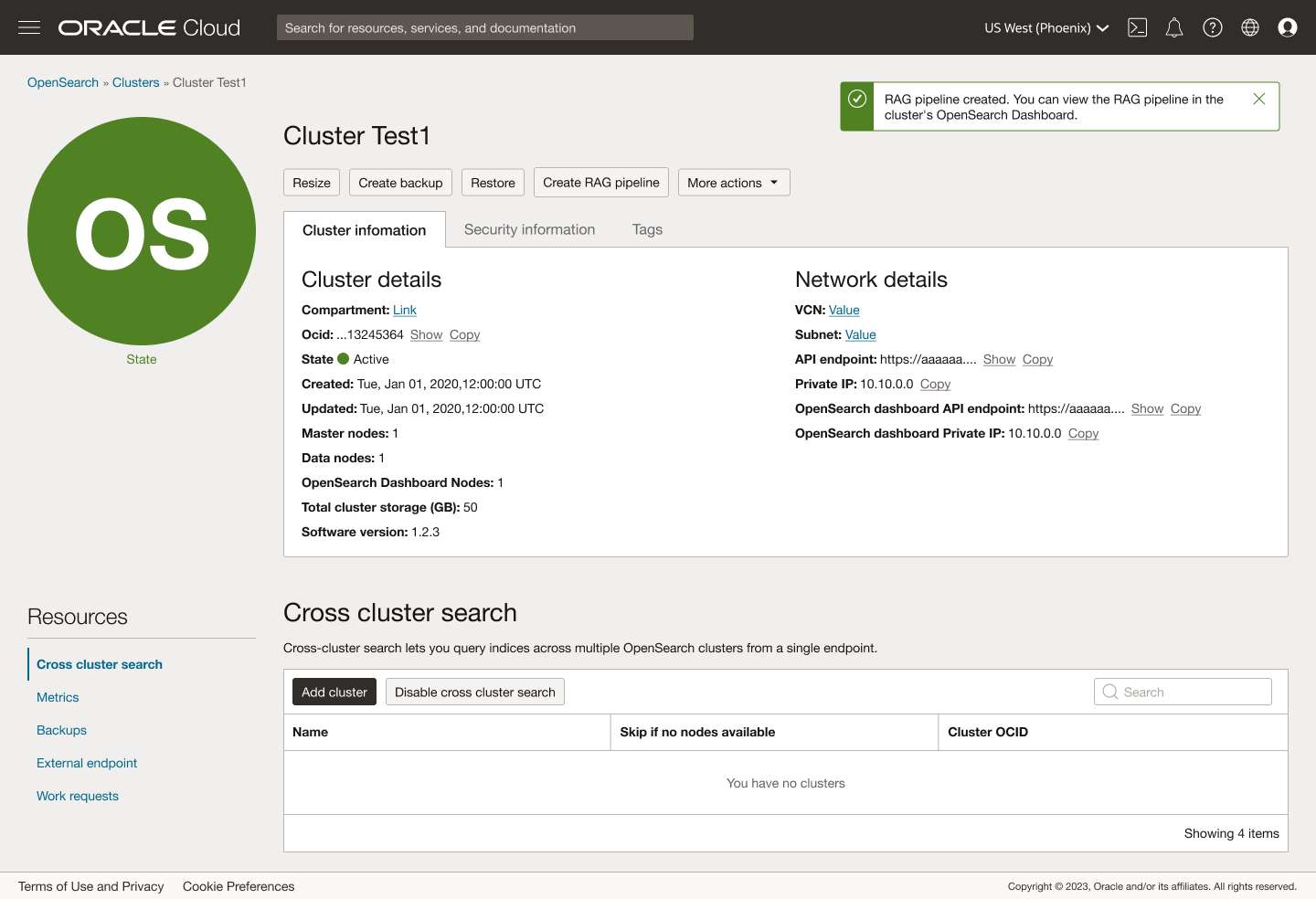
Post create
Completion & next steps
After submitting the setup form, the user is taken directly to the pipeline’s detail view, where inline toast notifications reinforce system status. A first message confirms that the RAG pipeline is being created, followed by a success toast once provisioning is complete: “RAG pipeline created. You can view the RAG pipeline in the cluster’s OpenSearch Dashboard.” At this point, the OCI flow is complete - the pipeline is successfully created, the user is directed to where it can be monitored, and they have already copied or downloaded the code in the previous step.
Results
The release of the RAG Pipeline experience in OCI has delivered meaningful user value and laid the foundation for strong long term adoption. By turning what used to be a code only workflow into a guided console experience, users can now configure embeddings, vector search, and LLM inference in a single place with real time validation.
Early feedback from customers adopting AI on top of OpenSearch reinforces the impact of a streamlined workflow:
“OCI Search with OpenSearch has already transformed how we handle large-scale search. With the new AI capabilities layered on top, we now have a foundation to build smarter, context-aware tooling without the operational overhead we used to manage.”
“We can now pair high-performance search with AI-driven insights in a way that’s far more cost-effective than other providers — saving us more than 50% while also running up to 20% faster.”