Resource Analytics Onboarding Improvements
I designed a streamlined onboarding flow for OCI’s Resource Analytics that helped users successfully create their first instance by clarifying setup steps, reducing configuration errors, and improving self-service adoption.
My role
Lead designer
Project timeline
3 weeks
UI Engineers, Product Manager, Technical Content Writer
Cross functional team
The problem
Oracle Cloud Infrastructure (OCI) customers struggled to onboard onto the new Resource Analytics service due to complex prerequisites and unclear guidance. Creating an instance required correctly configuring multiple dependencies, including networking, users, groups, and policies, but many users were unaware of or misconfigured these requirements. As a result, instance creation attempts frequently failed, leading to frustration and support requests.
Data confirmed that a significant portion of onboarding failures stemmed from incomplete or incorrect prerequisite setups. Additionally, documentation and setup instructions were lengthy and difficult to follow, leaving users uncertain about the right sequence of steps. These findings underscored the need for a more guided and user-friendly onboarding experience to help customers successfully set up and use Resource Analytics with minimal friction.
My impact
I led the end-to-end UX design improvements for Resource Analytics onboarding, addressing widespread user failures when creating new instances. Through a comprehensive audit, I identified key pain points in the setup process and collaborated with the technical writer to simplify and clarify the documentation. I also designed a new prerequisites banner that proactively informs users of required setup steps and links them directly to relevant guidance. These changes reduce user confusion, streamlines onboarding, and empowers customers to complete setup successfully without relying on support.
The process
Project Kickoff
Expert interview
Project planning

Console Audit
Follow documentation to create an RA instance
Document pain points
Documentation Improvments
Share audit findings with TC writer
Collaborate on improvements
Ideation
Cross service analysis
Design
High fidelity mocks
Review and iteration with stakeholders
Developer Handoff & Iteration
UX review board approval
Developer support
Feature release
Phase 1: Discovery
Kickoff
When the Resource Analytics service was transitioned to my team, I was tasked with auditing its user experience to identify areas for improvement and to lead future design work. Through stakeholder discussions, I discovered a key pain point: customers were struggling to onboard successfully due to confusing setup requirements and documentation gaps.
Audit
To better understand the customer experience, I conducted a hands-on audit by attempting to create a Resource Analytics instance myself following the official documentation. I quickly encountered the same issues users had reported. The setup instructions were confusing, difficult to follow, and easy to misinterpret. After multiple failed attempts, I collaborated with the support team to troubleshoot each error, documenting where and why the process broke down. This exercise revealed specific points in the documentation that led users to make critical setup mistakes.
Phase 2: Solutioning
Documentation improvements
I met with the technical content writer to share my audit findings and highlight where the documentation contributed to user errors. Together, we reviewed each pain point and discussed actionable improvements. My recommendations included clarifying that users must attach the security list to the subnet after creating it (with step-by-step UI instructions), explicitly stating that the default domain must be named “default,” and making it clearer when policy examples were being repeated for default and non-default domain scenarios. These changes aimed to reduce confusion and help users complete setup successfully on their first attempt.
Console improvements
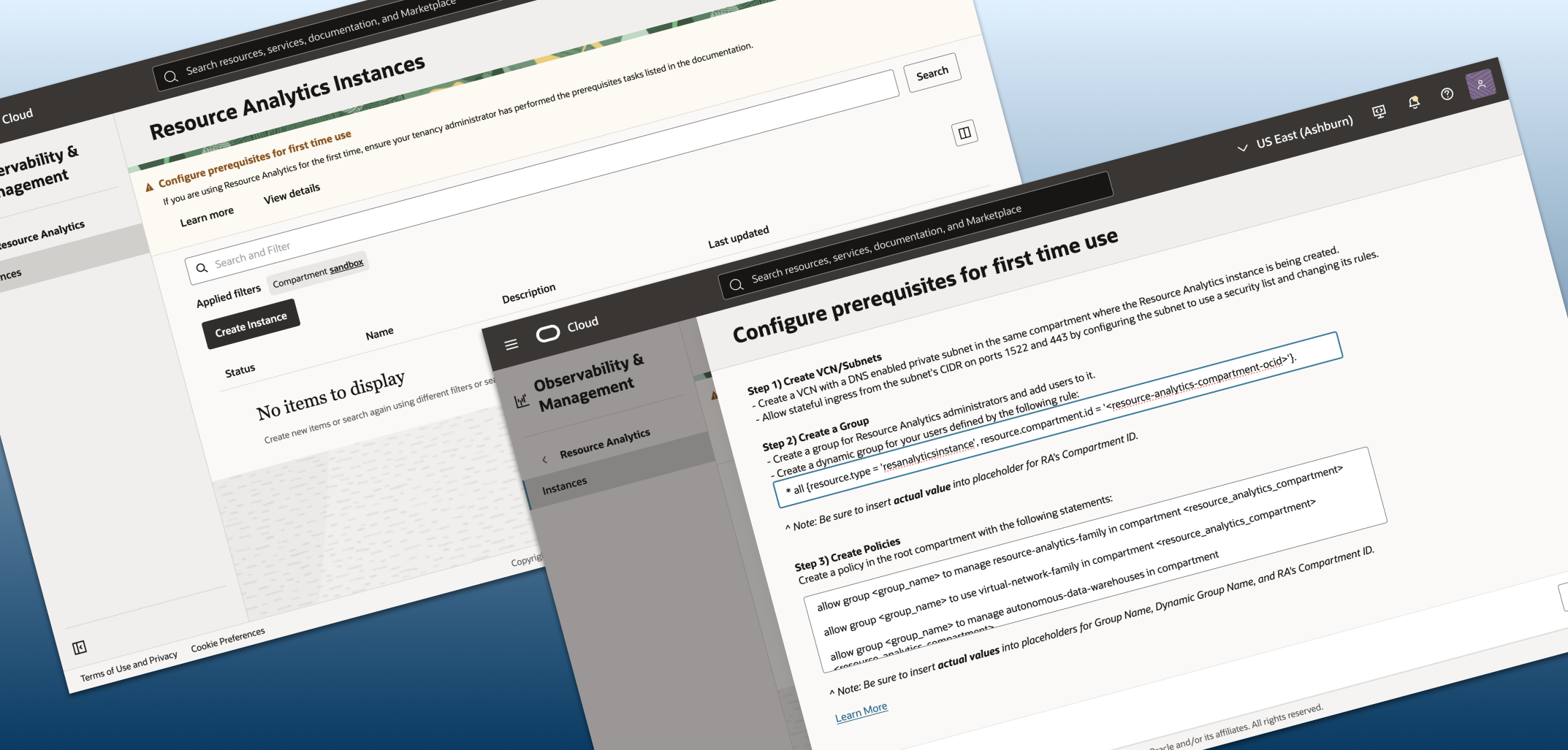
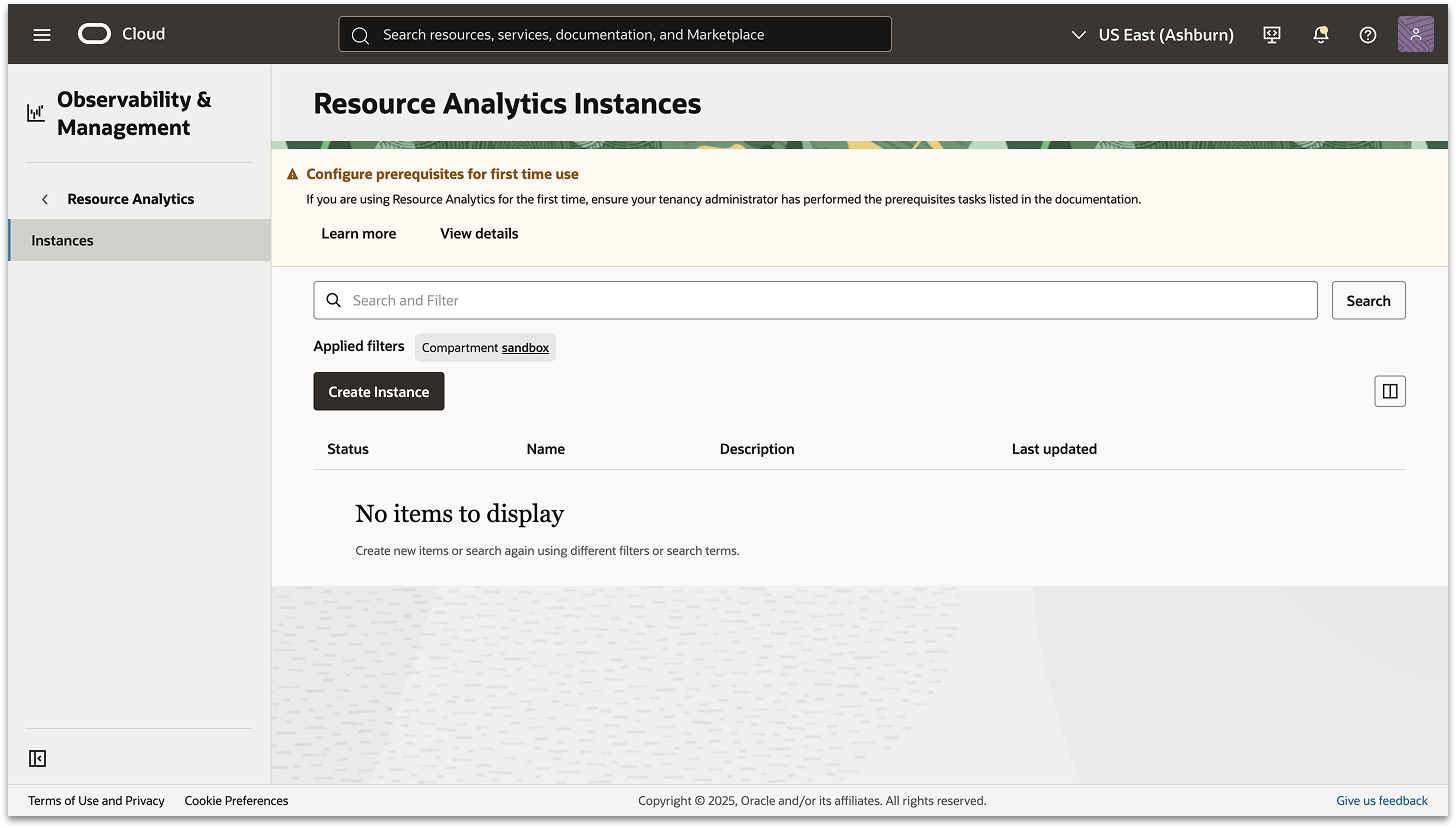
With the documentation improved, the next challenge was inside the product itself. Users had no indication that prerequisites were required before creating a Resource Analytics instance, nor was there any link to the setup documentation within the console. To address this, I designed a prerequisites banner to appear on the listing page, the first screen users see when accessing the service.
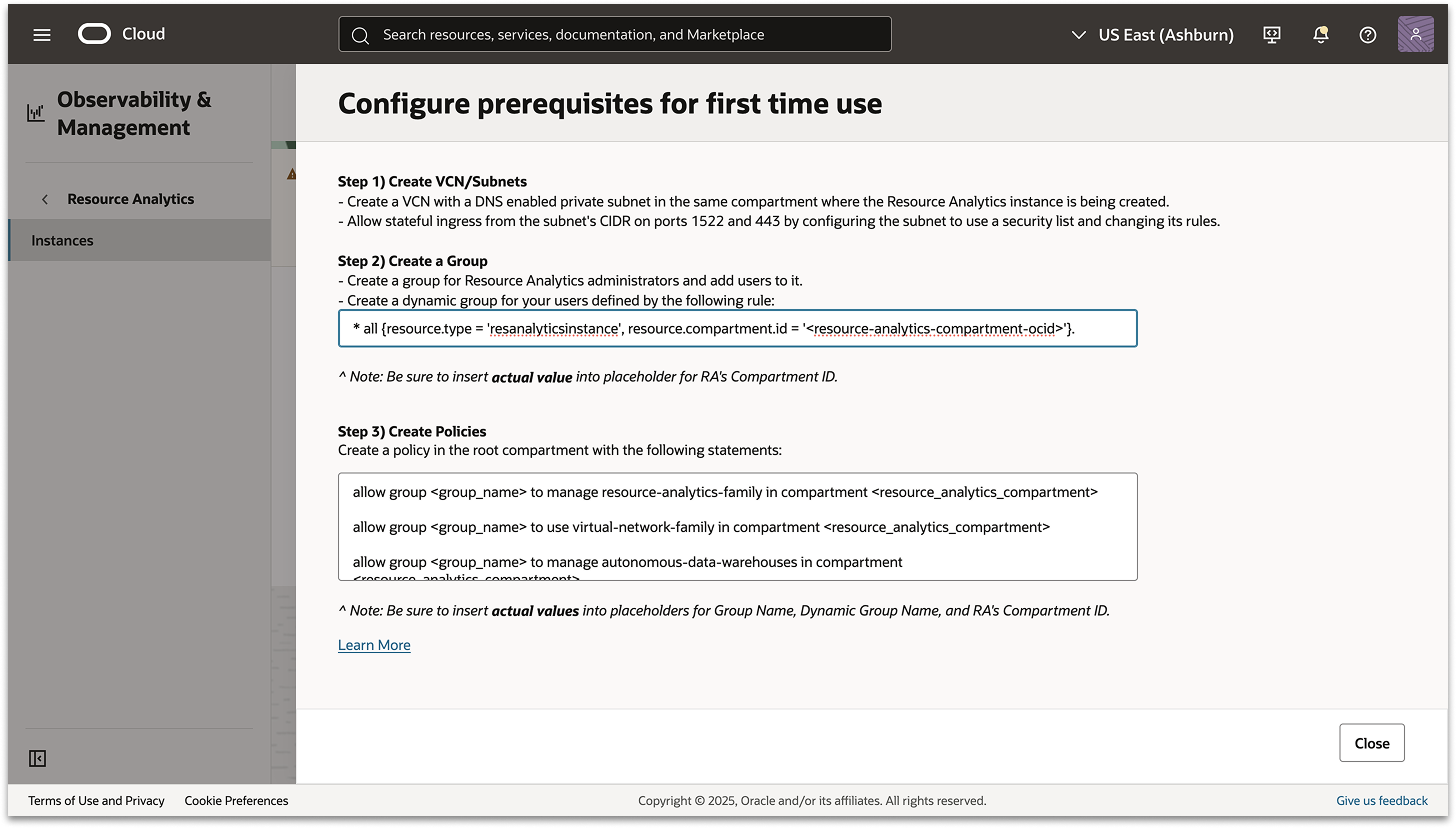
Having previously designed similar banners for other OCI services, I knew this approach would maintain consistency across the platform. The banner alerts users that setup prerequisites must be completed, provides a direct link to the documentation, and includes a “View details” button. Selecting this button opens a side panel with a simplified overview of the setup steps and copyable policy statements. This addition helps users understand what needs to be configured before they begin, reducing onboarding friction and setup failures.
Results
The redesigned onboarding experience laid a strong foundation for a clearer, more guided setup process. By pairing improved documentation with an in-console prerequisites banner, I ensured that customers now have the information they need before creating a Resource Analytics instance. As adoption grows, this work positions the team to gather valuable insights on how proactive guidance can reduce setup errors and support dependency.