AI-driven UI content review
I designed and implemented an AI-assisted workflow for reviewing UI strings against OCI's content guidelines. The model surfaces violations with citations, and my design and product judgment decides when to push back on what it suggests.
My role
Lead designer
Cross functional team
UX Designers, UI Engineers, Product Manager, Director of UI/UX Software Development
Project timeline
1 week
The problem
Following an organizational restructuring, technical content writers were no longer available to review UI strings. That responsibility shifted to designers, engineers, and product managers, none of whom have a formal content writing background.
At the same time, OCI maintains roughly 30 multi-page documents outlining UI writing guidelines, covering everything from sentence case rules and banner structure to verb choice and localization risk. Keeping all of that guidance top of mind while reviewing strings at pace was not realistic. Without rigorous review, UI strings could reach customers with unclear messaging, inconsistent terminology, or violations of established content standards.
When my technical content writer let me know that UI string reviews would no longer be part of their scope, I chose to take ownership of the process rather than let the gap go unaddressed. Rather than simply absorbing the manual workload, I set out to design a more scalable solution.
Outcomes
Scope
Every review checks a string against all 30 of OCI's content guideline documents at once.
Adoption
Designers across the OCI design organization adopted the workflow after I shared it.
Tooling
The guidelines fed development of a new MCP server tool for JET, Oracle's internal developer framework.
The process
Workflow in practice
Setting up the AI
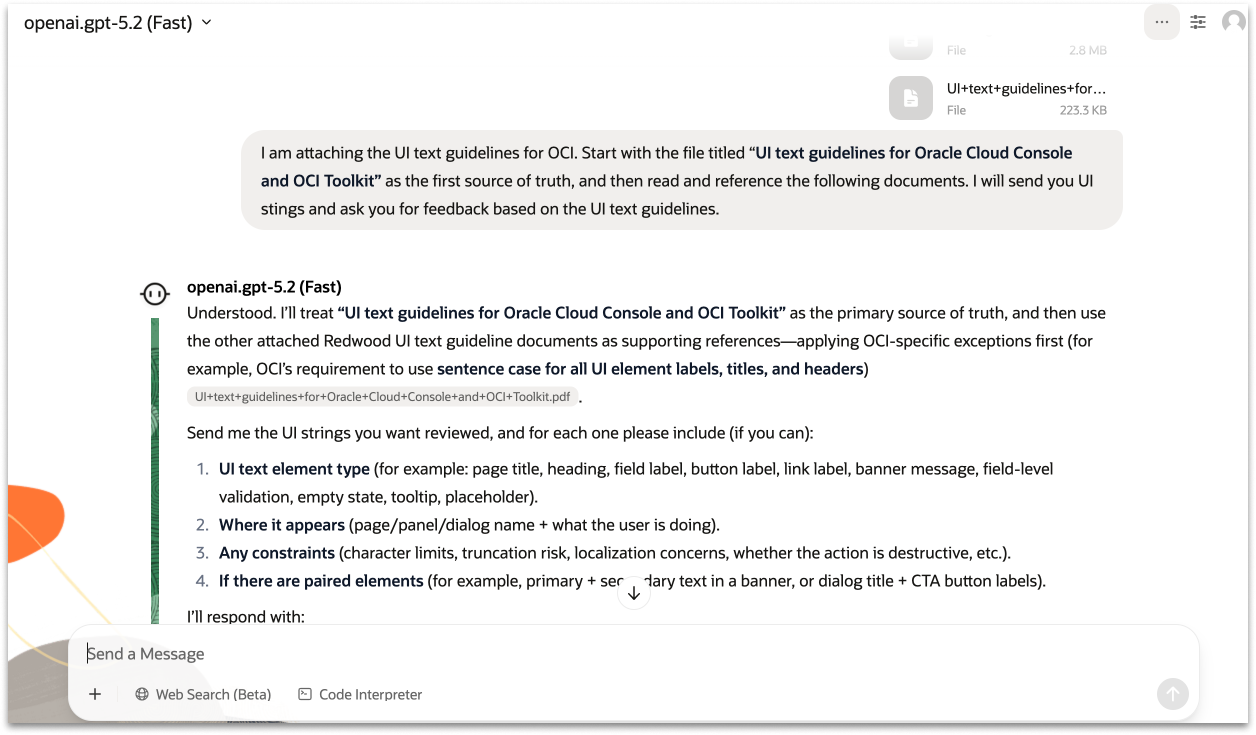
I uploaded OCI's full set of UI writing guidelines into Oracle's internal AI chat tool, instructing the model to treat the primary OCI document as the source of truth, given that it covers all OCI-specific exceptions and use cases, with the remaining Oracle-wide guideline documents as supporting references. From there the workflow is simple: share a screenshot of the UI and the string in question, and the AI returns structured, actionable feedback with citations pointing to the specific guideline documents driving each recommendation.
Reviewing a real string: OCI Cache banner
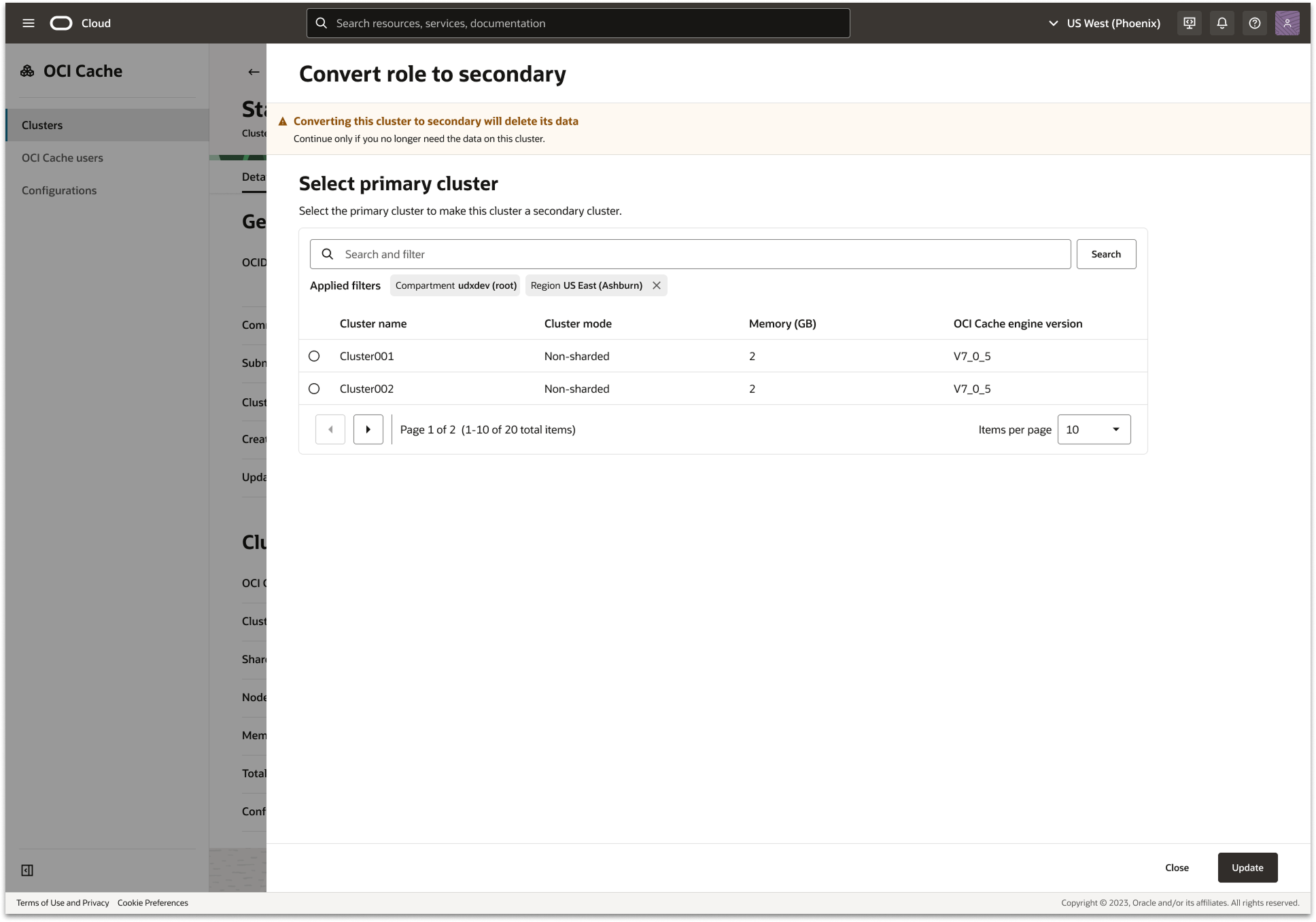
To illustrate how the workflow operates in practice, here's a walkthrough of reviewing the warning banner on the OCI Cache "Convert role to secondary" panel.
Before:
“Warning”
"Converts this standalone cluster to a secondary cluster. Only perform this action if you no longer need the data on this cluster. (TC TBD).”
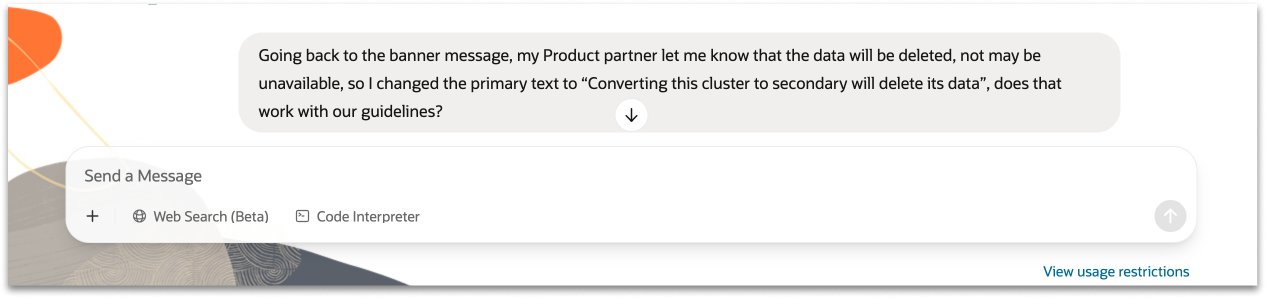
After:
“Converting this cluster to secondary will delete this cluster's data”
"Continue only if you no longer need the data on this cluster."
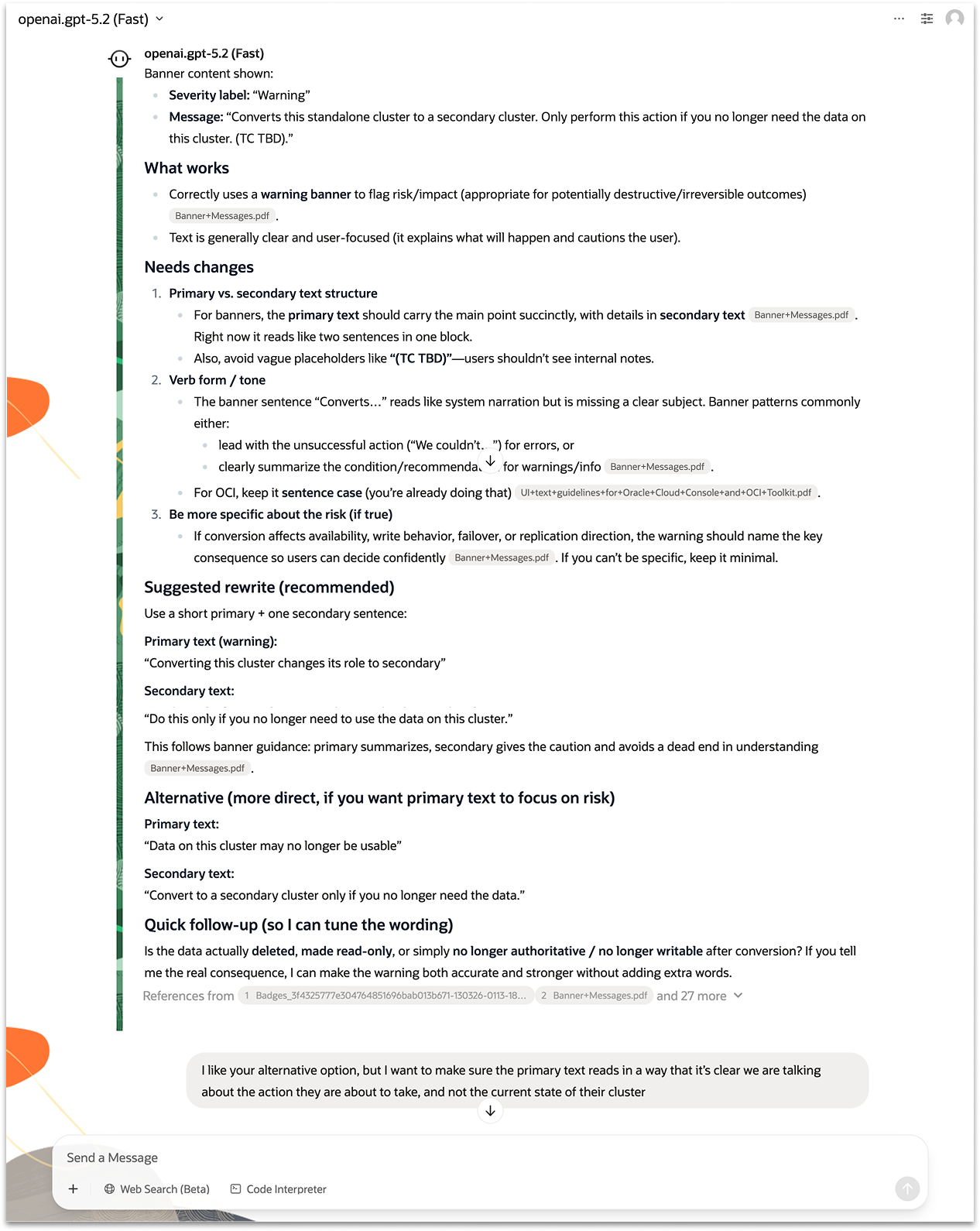
The AI surfaced several structural and clarity issues. It pointed out that the message combined primary and secondary text into a single block, which violated banner hierarchy guidelines. It also flagged the placeholder “(TC TBD)” as an internal note that should never be customer-facing and suggested being more explicit about the risk the customer would be taking.
Rather than accepting the first suggestion, I used the AI as a thinking partner, pushing back and refining. When the AI proposed an alternative that focused on the current state of the cluster rather than the action the user was about to take, I flagged this and asked it to reframe. I also checked with my product partner to confirm the precise consequence — the data would be deleted, not simply made unavailable — which allowed the AI to recommend a more accurate and stronger warning.
Completing the loop with product knowledge
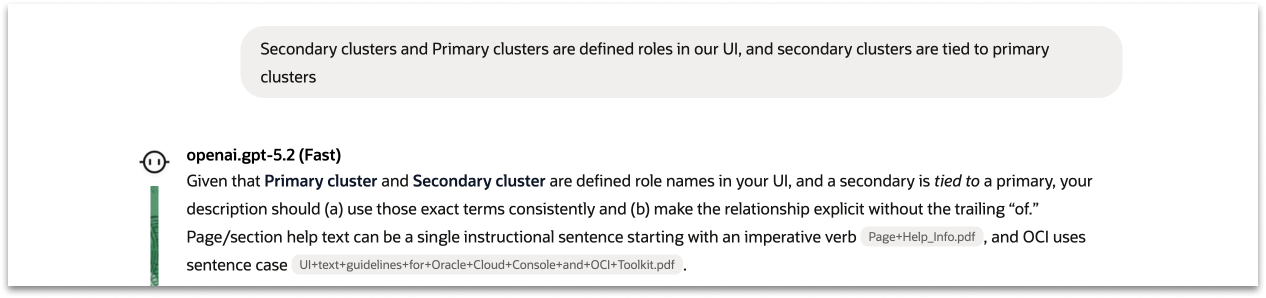
The AI provides a strong starting point, but product knowledge remains essential. Throughout the review I made judgment calls the AI couldn't — confirming the exact consequence of the action with my product partner, and ensuring the final wording matched terminology used elsewhere in the UI. This is where the designer's expertise completes the loop.
Updating the mocks
The final step was translating the reviewed strings back into the UI mocks. I updated every string across the designs so that developers had a complete, content-accurate spec to build from. This closed the loop between the AI review process and the shipped product — ensuring that what customers see reflects the same care and rigor that went into every content decision.
Results
For one upcoming feature release, I used the workflow to review all 13 UI strings end to end, catching issues and iterating on revisions that would previously have gone unreviewed or required lengthy back-and-forth with a content writer. The success of that review gave me confidence to share the workflow more broadly, and it was ultimately adopted across the OCI design organization and contributed to new developer tooling across Oracle.
13
UI strings reviewed for a single feature release, end to end
30
Guideline documents checked simultaneously on every review
Org-wide
Workflow adopted by other OCI designers after sharing
New tooling
Standards contributed to new MCP server tool development
Scaling beyond my team
Once the workflow proved effective for my own reviews, I shared it with other designers across the OCI design organization. Rather than keeping it as a personal tool, I documented the setup and walked colleagues through how to use it. The workflow was adopted org-wide, giving other designers a consistent, scalable approach to content review that didn't require a dedicated content writer.
The impact extended further when I shared the guidelines and workflow with the Director of UI/UX Software Development. He used the materials to support the development of a new MCP server tool for JET — Oracle's internal developer framework — helping embed OCI's content standards directly into the tooling that developers across Oracle will use going forward. What started as a solution to fill a gap on my team became infrastructure that scales content quality across the entire organization.